How it Works
Transform your Google Forms into powerful business engines in five simple steps.
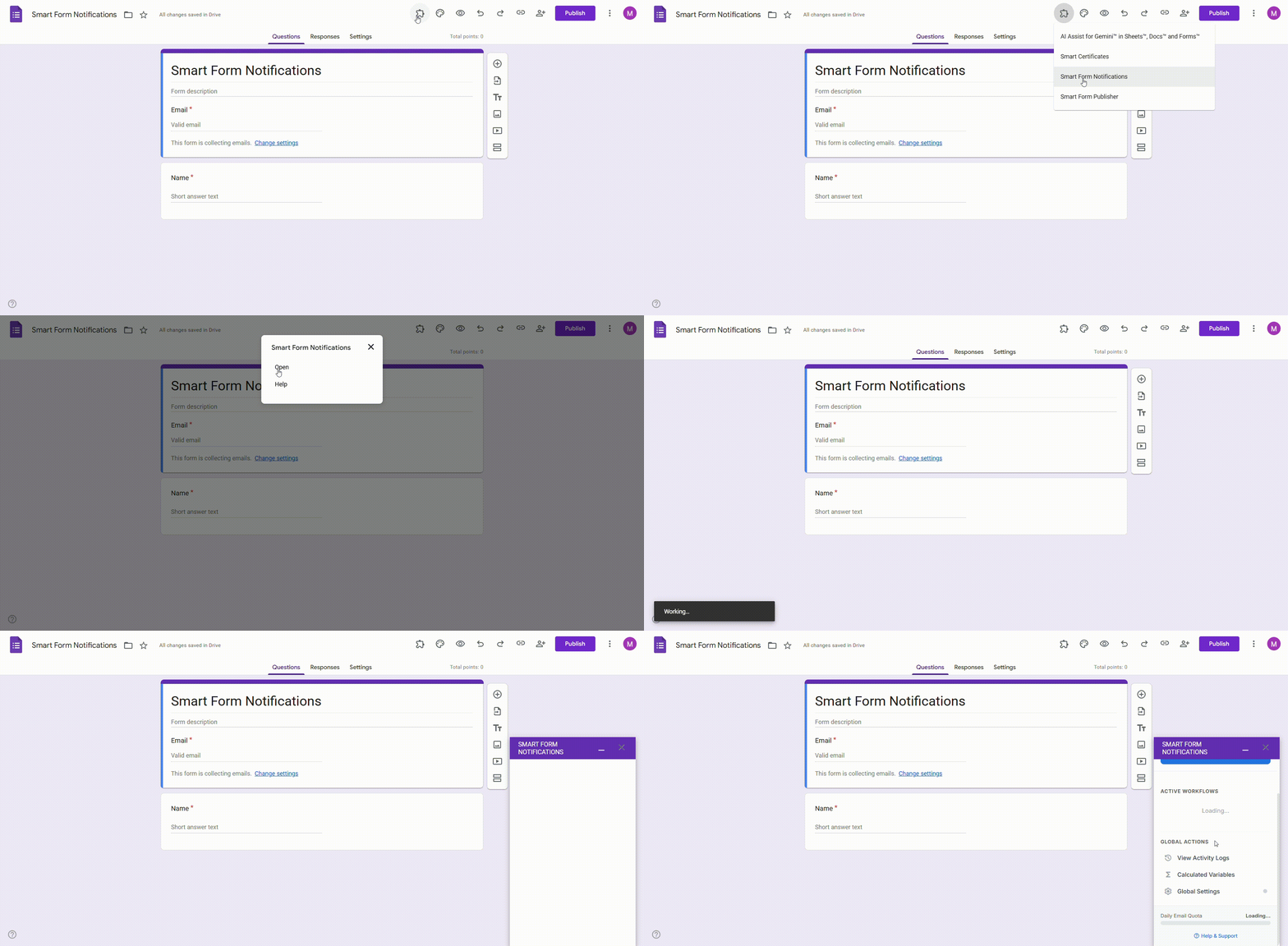
Open Smart Form Notifications
Access the add-on directly within your Google Form header menu. Simply click the puzzle icon to launch the configuration sidebar.
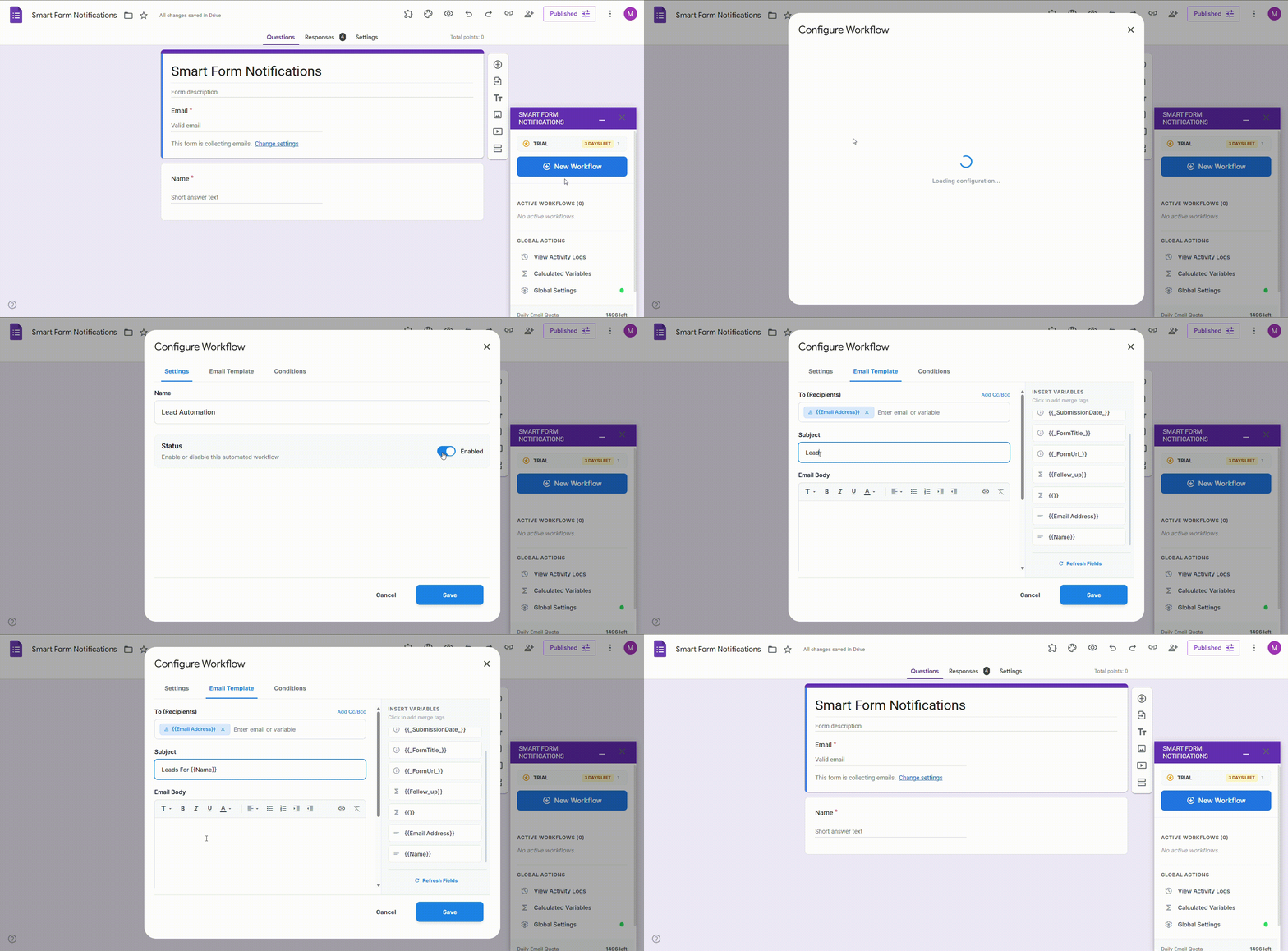
Define Your Workflow
Create a new workflow within the sidebar. This is where you set the name, status, and basic routing rules.
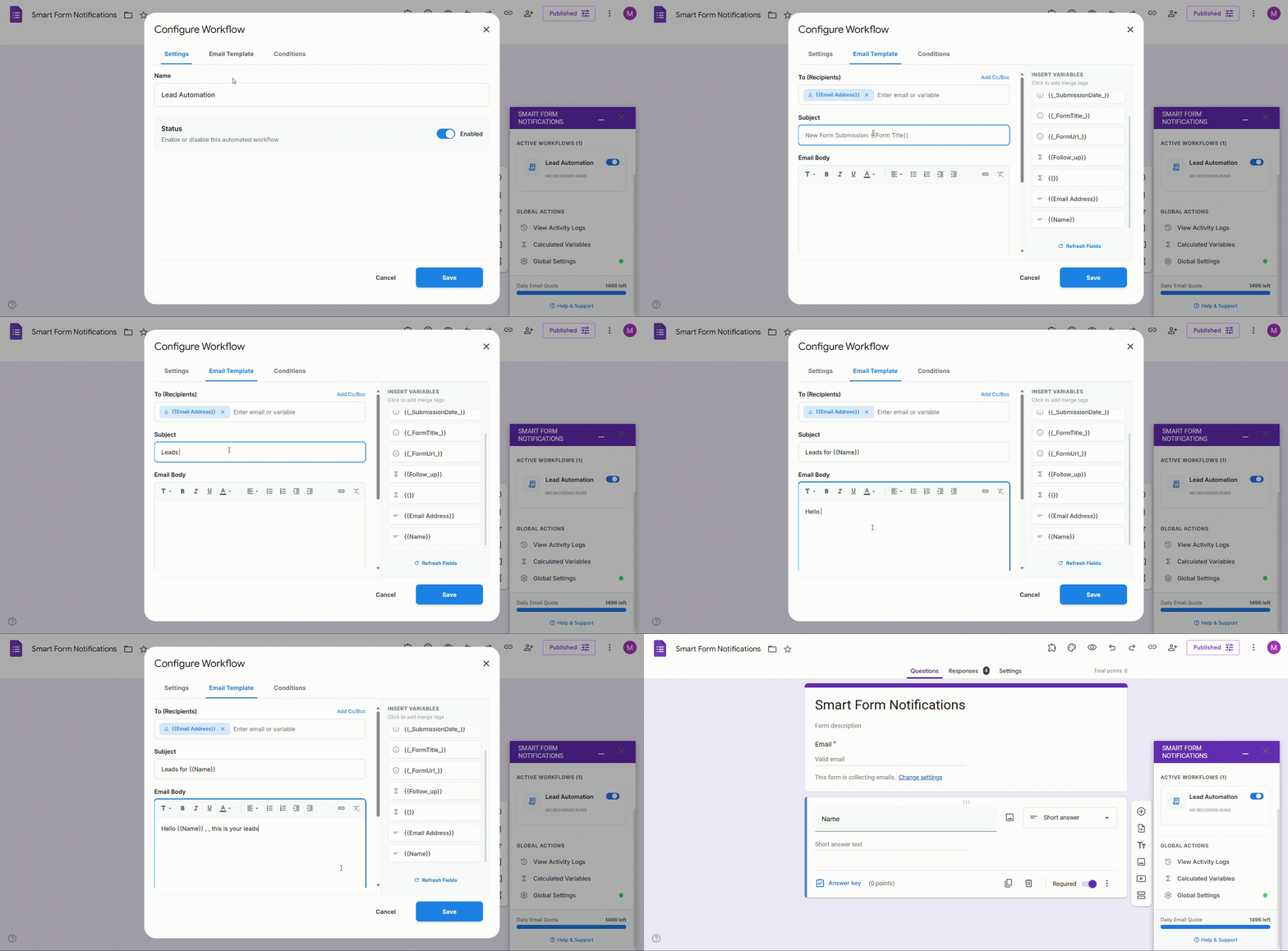
Design Your Template
Use our rich text editor to build professional emails. Insert dynamic markers like {{Name}} to personalize every message.
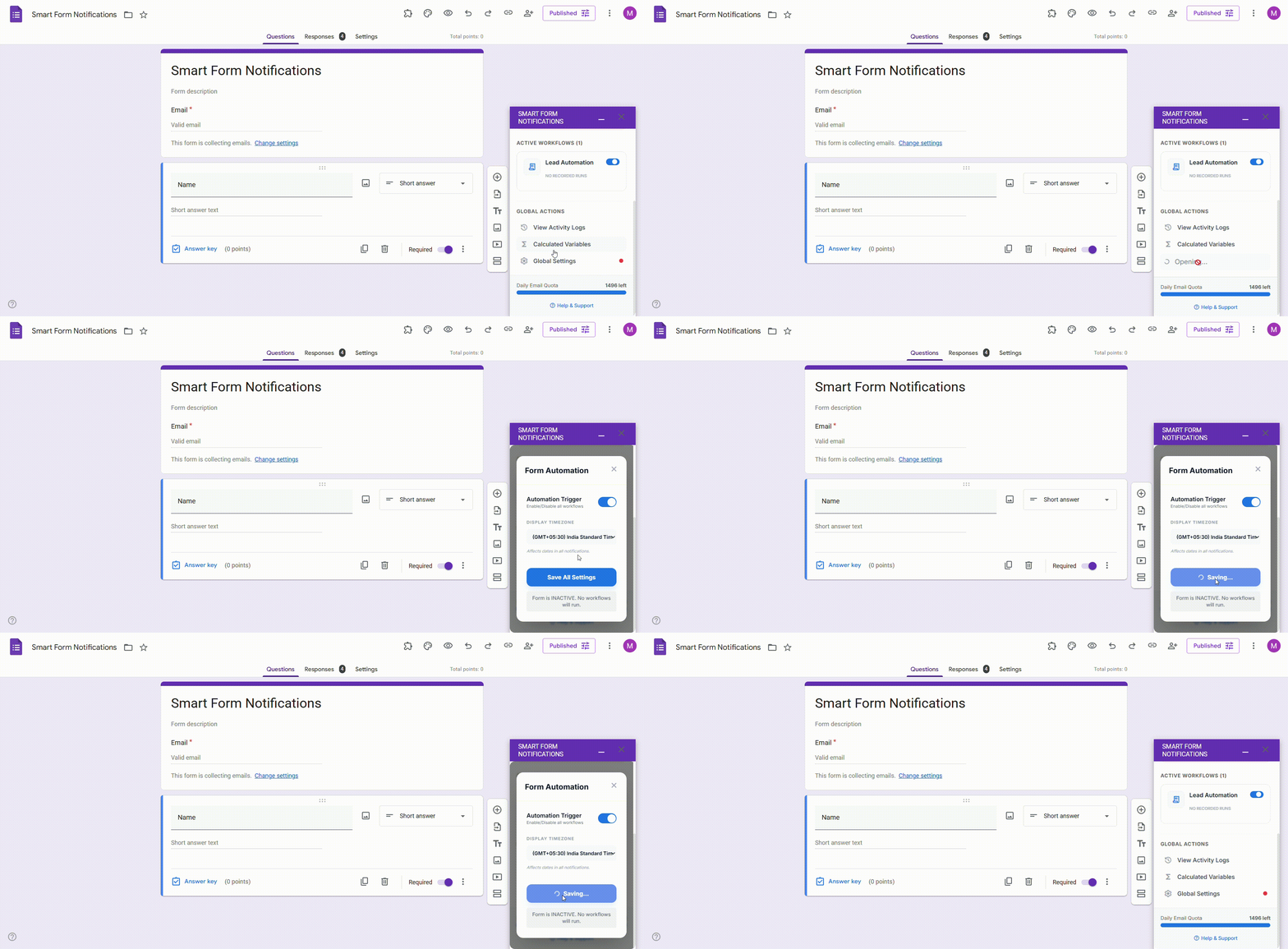
Activate & Automate
Toggle the global trigger to 'ON'. From now on, every single form submission will be processed instantly.
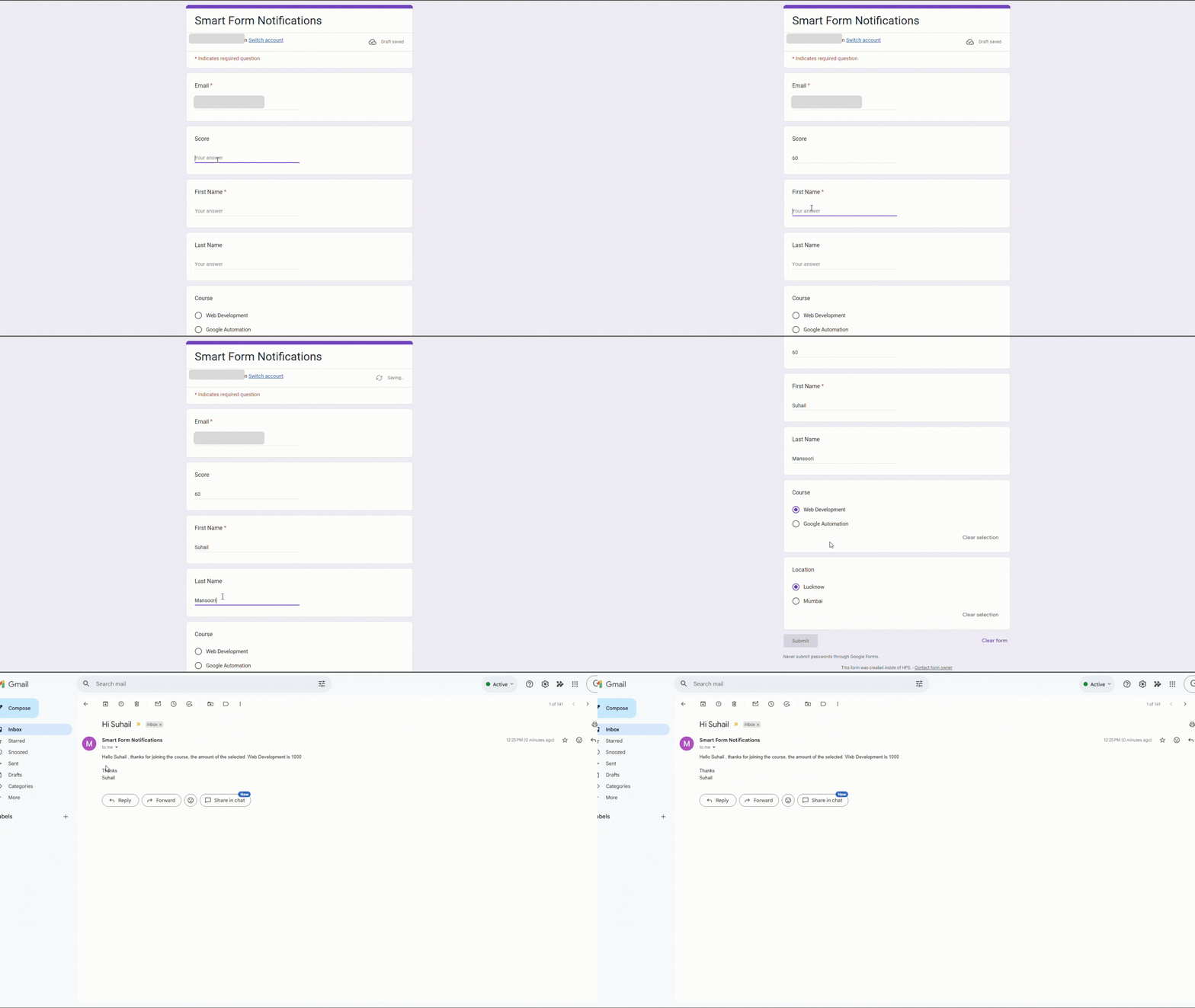
Live Submission
Open your form in preview mode, submit a test response, and watch your automation spring into life. Check your inbox for the instant notification.
Ready to automate?
Join thousands of teams who have transformed their Google Forms into intelligent workflows.